

Animock: 3D Mockup Animator
Hassan Taleb
As of 21 Nov 2026, Animock: 3D Mockup Animator is #74 in Grossing · Developer Tools in Germany, the one tracked chart it's in. Its best rank in the last 7 days was #50 in Grossing · Developer Tools in Germany. Appulse Index first saw Animock: 3D Mockup Animator in a tracked chart on 20 Nov 2026. Since then it has charted on 2 days in 1 country, with a best rank of #50 in Grossing · Developer Tools in Germany on 20 Nov 2026.
Current rank
#74Germany · Grossing · Developer Tools
- Was
- —7 days ago
- Change
- Not enough history yetover 7 days
- Best
- #50in 7 days
- Longest chart run
- 2 daysGermany · Grossing · Developer Tools
- New ratings, 7 days
- —Needs a week of rating history
Chart record
Every tracked chart, country and day since Appulse Index first saw this app in a chart.
What's new
Version 7.0 · 3 days ago
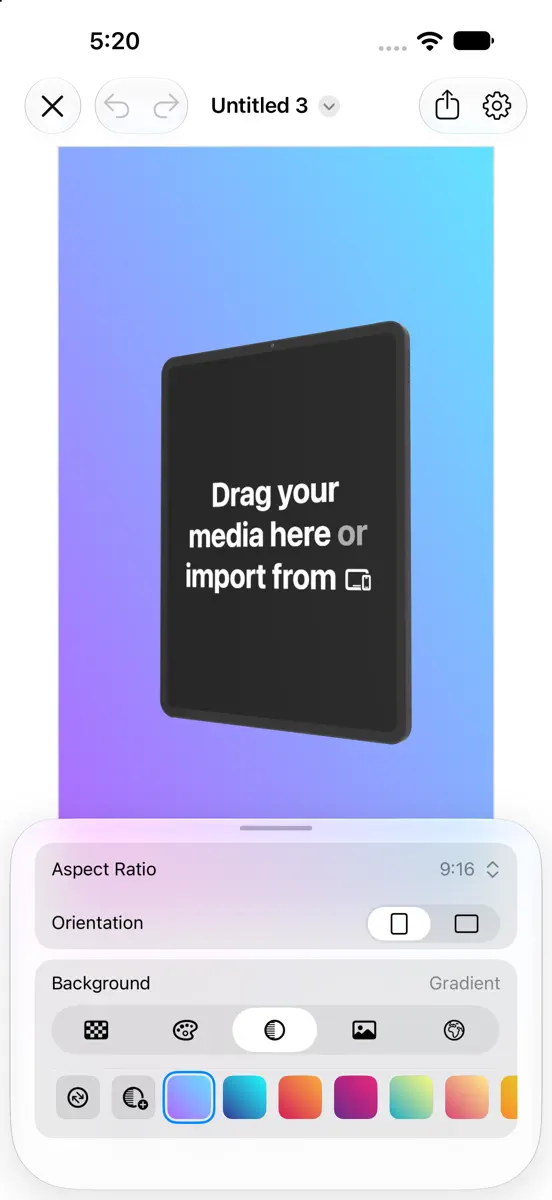
Animock 7.0 is our biggest update ever: a completely redesigned editor, support for iPhone Duo, ten new languages, powerful new ways to light, frame, and animate your 3D device mockups, and a new native Mac app. New Devices & Details • MacBook Pro with PROLED XDR display, whose lid logo glows as it opens • Studio Display XDR and Studio Display, with an offer to switch Pro Display XDR projects • Set a MacBook Pro, iMac, or Studio Display on a wooden table in any color • Every device casts a real shadow, behind it or on the floor below • Turn on Screen Glow to let the screen light the device and the floor, even as video plays • Add labels to every device, and color each word your way Designed for iPhone Duo • Use Animock on iPhone Duo, on both the inner and outer displays • Unfold for a larger canvas, then fold to keep working on the outer display Ten More Languages • Create in Arabic, Chinese (Simplified and Traditional), French, German, Italian, Japanese, Korean, Portuguese, and Spanish • Enjoy a fully right-to-left interface in Arabic Studio Lighting & Environments • Bathe your mockups in soft studio light, aimed with an interactive direction globe • Explore new studio environments in the redesigned Lighting panel, with Environment, Rotation, and Studio tabs • Rotate environments a full 360° to place reflections where you want them • Fine-tune Device Lighting and Screen Reflection independently, and control background blur Canvas & Backgrounds • Switch between Clear, Color, Gradient, Image, and Environment backgrounds in one tap • Start from a curated gradient or design your own with a live preview, set any direction from 0° to 360°, and save colors and gradients for reuse • Frame App Store screenshots and previews at sizes for iPhone, iPad, and Apple Watch, or set a custom size • Discover new photo backgrounds, choose Aspect Fill or Scale to Fill, and adjust blur Animation • Undo and redo every edit, camera moves included • Shape Duration, Easing, Rotation, and Zoom together in the redesigned keyframe panel • Spot unsaved camera changes instantly: their keyframes are highlighted in orange • Drag keyframes to reorder them, and add templates before or after the selection • Freeze the screen video during chosen parts of the animation • Fit and rotate videos on the device screen, just like images Gestures • Rotate around World Axes or the new Model Axes, and zoom around the model or the viewport • Line up your mockup precisely with alignment guides • Enjoy smoother, more responsive zooming, panning, and rotation Export • Export video and images from the streamlined Export panel • Export App Store previews in the format App Store Connect accepts, with or without sound • Follow export progress with a Live Activity on the Lock Screen and in the Dynamic Island • Save finished exports to Photos automatically on iPhone and iPad • Recover exports interrupted while Animock is in the background • Cover the screen-recording indicator around the Dynamic Island A Fresh New Design • Work faster with the new floating toolbar and redesigned editor panels on iPhone and iPad • Side rails in landscape give your canvas the full height of the screen • Choose a light, dark, or automatic appearance in Settings • Enjoy a sharper live preview, faster performance, improved stability, and many bug fixes Now on Mac • Animock now has a native Mac app, and one Animock Pro purchase unlocks it on iPhone, iPad, and Mac • On Mac, the AI agent apps you already use can create, edit, review, and export your projects Loving Animock? A rating or review on the App Store means the world to us. Have an idea? Send it from Settings > Send Feedback.
Ranking events
- Entered the Grossing · Developer Tools chart at #50Germany
About
Animock is a 3D device mockup and animation studio for turning screenshots and screen recordings into polished product visuals. Create App Store screenshots and app preview videos, marketing assets, social content, and presentations—all without the complexity of traditional 3D software. Animock works on iPhone, iPad, and Mac. CREATE 3D DEVICE MOCKUPS • Choose from smartphones, tablets, laptops, watches, displays, TVs, and foldable devices • Use Apple devices including iPhone, iPad, MacBook…
Ranks come from Apple's public App Store charts, checked once a day. Appulse Index isn't affiliated with Apple.
Rank history
Higher on the chart is better: #1 is at the top.
Sign in to see 30 days, 90 days and all history.
Germany · Grossing · Developer Tools: best #50, latest #74, over 7 snapshots since 15 Nov.
In 1 chart now
| Chart | Rank | 24 h | 7 days | Best | Days on chart |
|---|---|---|---|---|---|
| Germany· Grossing · Developer Tools · best #50 · 2 days | #74 | Down 24 places | Not enough history yet | #50 | 2 |
Competitors
Compare with the top 3Full chartTop of Grossing · Developer Tools in Germany. Animock: 3D Mockup Animator is #74 there. Changes are over 7 days.
- #1 (number one)No change
- #2Up 2 places
 Termius - Modern SSH ClientTermius Corporation
- #3Down 1 place
 GitHubGitHub
- #4Up 2 places
 CursorX Corp.
- #5Up 3 places
 ProxMateLars Herres
- #6Up 3 places
 Emergent AI: Vibe Code AppsEmergent Labs Inc
- #7Up 62 places
 OnSpace AI: Mobile App BuilderSoulZ AI Inc.
- #8Up 43 places
 Xogot: Godot no iPad & iPhoneXibbon, Inc
- #9Up 27 places
 Textastic Code EditorAlexander Blach
- #10Up 12 places
 SSH Client - Secure ShellFishAnders Borum
- #11Down 8 places
 Moshi: herdr/tmux on SSH/MOSHMoshi Tech Ltd.
- #12New entry
 Python Coding婉媚 邵
- #13Up 4 places
 Python Editor AppAndromeda Corp LTD
- #14Up 66 places
 HeC: Hetzner Cloud inoffiziellDorian Borovina
- #15Up 32 places
 Runestone Text EditorSimon B. Støvring
- #16Up 48 places
 Proxyman - Capture HTTPSProxyman LLC
- #17Down 12 places
 v0Vercel, Inc
- #18Up 64 places
 Nautik for KubernetesDWRPD Software UG haftungsbeschraenkt
- #19Up 22 places
 ProxMate BackupLars Herres
- #20Up 15 places
 WebSSH - Sysadmin ToolboxMENGUS ARNAUD

Screenshots




More from Hassan Taleb
| App | Best rank now | Released | App Store |
|---|---|---|---|
 Swifty Compiler: Swift IDEDeveloper Tools · | Grossing · Developer ToolsCanada#38 | ||
 Mesh GradientGraphics & Design · | Paid · Graphics & DesignIndia#72 |

Animock: 3D Mockup Animator
Hassan Taleb
As of 21 Nov 2026, Animock: 3D Mockup Animator is #74 in Grossing · Developer Tools in Germany, the one tracked chart it's in. Its best rank in the last 7 days was #50 in Grossing · Developer Tools in Germany. Appulse Index first saw Animock: 3D Mockup Animator in a tracked chart on 20 Nov 2026. Since then it has charted on 2 days in 1 country, with a best rank of #50 in Grossing · Developer Tools in Germany on 20 Nov 2026.
Store listing
How the app presents itself on the App Store. Select a screenshot to open it full size.
App facts
What Apple publishes about this app. Ratings are from one country's App Store.
- Price
- Free
- Rating
- 3.0 / 5 stars2 ratings Germany
- Released
- 12 Dec 2023
- Last update
- Version 7.0
- Requires
- iOS 17.0or later
- Size
- 243.2 MB
- Languages
- 11
Chart record
Every tracked chart, country and day since Appulse Index first saw this app in a chart.
Rank history
Higher on the chart is better: #1 is at the top.
Sign in to see 30 days, 90 days and all history.
Germany · Grossing · Developer Tools: best #50, latest #74, over 7 snapshots since 15 Nov.
Current rankings
Every chart this app is in right now, best position first.
| Chart | Rank | 24 h | 7 days | Best | Days on chart |
|---|---|---|---|---|---|
| Germany· Grossing · Developer Tools · best #50 · 2 days | #74 | Down 24 places | Not enough history yet | #50 | 2 |
Ranking events
Entries, big moves, #1s and new versions we've recorded, by day.
- Entered the Grossing · Developer Tools chart at #50Germany
Competitors
Compare with the top 3Full chartTop of Grossing · Developer Tools in Germany. Animock: 3D Mockup Animator is #74 there. Changes are over 7 days.
- #1 (number one)No change
- #2Up 2 placesTermius - Modern SSH ClientTermius Corporation
- #3Down 1 placeGitHubGitHub
- #4Up 2 placesCursorX Corp.
- #5Up 3 placesProxMateLars Herres
- #6Up 3 placesEmergent AI: Vibe Code AppsEmergent Labs Inc
- #7Up 62 placesOnSpace AI: Mobile App BuilderSoulZ AI Inc.
- #8Up 43 placesXogot: Godot no iPad & iPhoneXibbon, Inc
- #9Up 27 placesTextastic Code EditorAlexander Blach
- #10Up 12 placesSSH Client - Secure ShellFishAnders Borum
- #11Down 8 placesMoshi: herdr/tmux on SSH/MOSHMoshi Tech Ltd.
- #12New entryPython Coding婉媚 邵
- #13Up 4 placesPython Editor AppAndromeda Corp LTD
- #14Up 66 placesHeC: Hetzner Cloud inoffiziellDorian Borovina
- #15Up 32 placesRunestone Text EditorSimon B. Støvring
- #16Up 48 placesProxyman - Capture HTTPSProxyman LLC
- #17Down 12 placesv0Vercel, Inc
- #18Up 64 placesNautik for KubernetesDWRPD Software UG haftungsbeschraenkt
- #19Up 22 placesProxMate BackupLars Herres
- #20Up 15 placesWebSSH - Sysadmin ToolboxMENGUS ARNAUD
- #74Not enough history yet
 Animock: 3D Mockup AnimatorThis app
About
From the app's App Store listing.
Animock is a 3D device mockup and animation studio for turning screenshots and screen recordings into polished product visuals.
Create App Store screenshots and app preview videos, marketing assets, social content, and presentations—all without the complexity of traditional 3D software. Animock works on iPhone, iPad, and Mac.
CREATE 3D DEVICE MOCKUPS
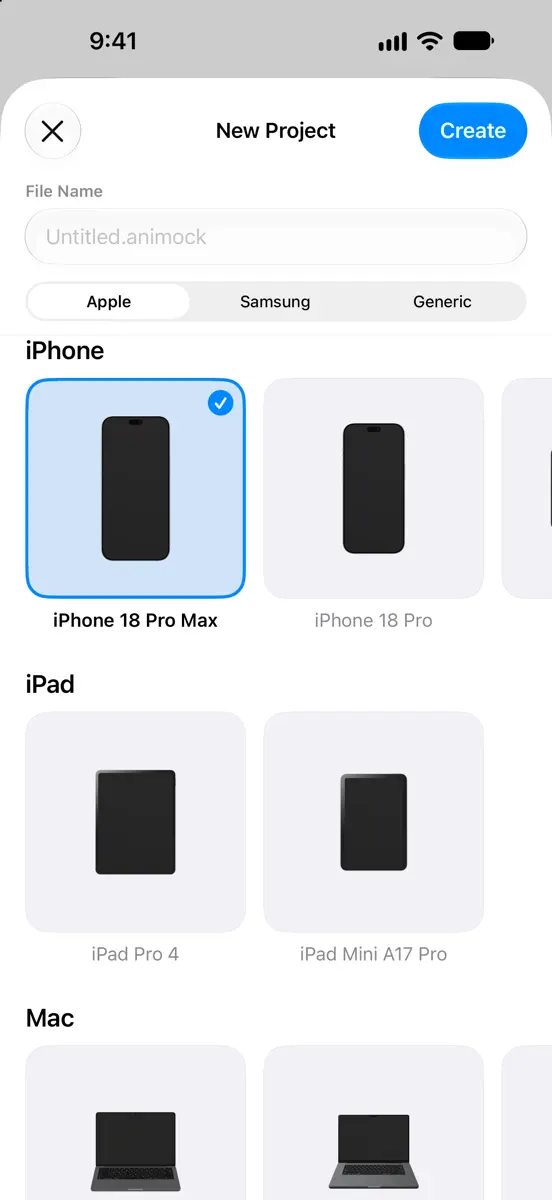
- Choose from smartphones, tablets, laptops, watches, displays, TVs, and foldable devices
- Use Apple devices including iPhone, iPad, MacBook…
What's new
Version 7.0 · 18 Nov 2026 ·
Animock 7.0 is our biggest update ever: a completely redesigned editor, support for iPhone Duo, ten new languages, powerful new ways to light, frame, and animate your 3D device mockups, and a new native Mac app.
New Devices & Details
- MacBook Pro with PROLED XDR display, whose lid logo glows as it opens
- Studio Display XDR and Studio Display, with an offer to switch Pro Display XDR projects
- Set a MacBook Pro, iMac, or Studio Display on a wooden table in any color
- Every device casts a real shadow, behind it or on the floor below
- Turn on Screen Glow to let the screen light the device and the floor, even as video plays
- Add labels to every device, and color each word your way
Designed for iPhone Duo
- Use Animock on iPhone Duo, on both the inner and outer displays
- Unfold for a larger canvas, then fold to keep working on the outer display
Ten More Languages
- Create in Arabic, Chinese (Simplified and Traditional), French, German, Italian, Japanese, Korean, Portuguese, and Spanish
- Enjoy a fully right-to-left interface in Arabic
Studio Lighting & Environments
- Bathe your mockups in soft studio light, aimed with an interactive direction globe
- Explore new studio environments in the redesigned Lighting panel, with Environment, Rotation, and Studio tabs
- Rotate environments a full 360° to place reflections where you want them
- Fine-tune Device Lighting and Screen Reflection independently, and control background blur
Canvas & Backgrounds
- Switch between Clear, Color, Gradient, Image, and Environment backgrounds in one tap
- Start from a curated gradient or design your own with a live preview, set any direction from 0° to 360°, and save colors and gradients for reuse
- Frame App Store screenshots and previews at sizes for iPhone, iPad, and Apple Watch, or set a custom size
- Discover new photo backgrounds, choose Aspect Fill or Scale to Fill, and adjust blur
Animation
- Undo and redo every edit, camera moves included
- Shape Duration, Easing, Rotation, and Zoom together in the redesigned keyframe panel
- Spot unsaved camera changes instantly: their keyframes are highlighted in orange
- Drag keyframes to reorder them, and add templates before or after the selection
- Freeze the screen video during chosen parts of the animation
- Fit and rotate videos on the device screen, just like images
Gestures
- Rotate around World Axes or the new Model Axes, and zoom around the model or the viewport
- Line up your mockup precisely with alignment guides
- Enjoy smoother, more responsive zooming, panning, and rotation
Export
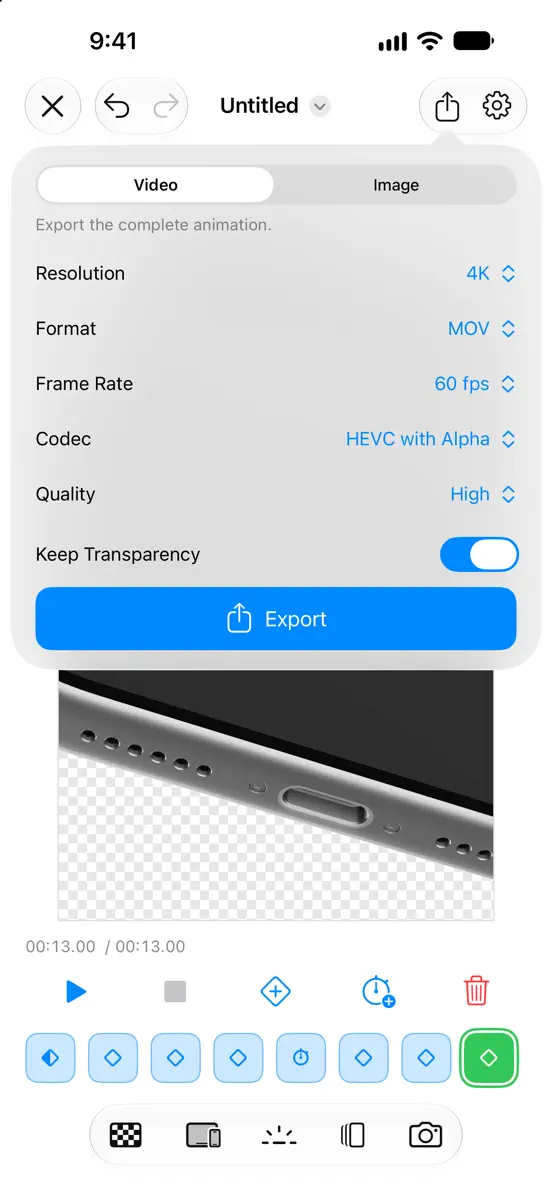
- Export video and images from the streamlined Export panel
- Export App Store previews in the format App Store Connect accepts, with or without sound
- Follow export progress with a Live Activity on the Lock Screen and in the Dynamic Island
- Save finished exports to Photos automatically on iPhone and iPad
- Recover exports interrupted while Animock is in the background
- Cover the screen-recording indicator around the Dynamic Island
A Fresh New Design
- Work faster with the new floating toolbar and redesigned editor panels on iPhone and iPad
- Side rails in landscape give your canvas the full height of the screen
- Choose a light, dark, or automatic appearance in Settings
- Enjoy a sharper live preview, faster performance, improved stability, and many bug fixes
Now on Mac
- Animock now has a native Mac app, and one Animock Pro purchase unlocks it on iPhone, iPad, and Mac
- On Mac, the AI agent apps you already use can create, edit, review, and export your projects
Loving Animock? A rating or review on the App Store means the world to us. Have an idea? Send it from Settings > Send Feedback.
More from Hassan Taleb
Their other apps that Appulse has seen in the charts, charting ones first.
| App | Best rank now | Released | App Store |
|---|---|---|---|
Swifty Compiler: Swift IDEDeveloper Tools · | Grossing · Developer ToolsCanada#38 | ||
Mesh GradientGraphics & Design · | Paid · Graphics & DesignIndia#72 |
Ranks come from Apple's public App Store charts, checked once a day. Appulse Index isn't affiliated with Apple.