

As of 21 Nov 2026, CairnOS is #51 in Paid · Utilities in the United States, its best of 2 chart positions across 2 countries. Appulse Index first saw CairnOS in a tracked chart on 20 Nov 2026. Since then it has charted on 2 days in 3 countries, with a best rank of #51 in Paid · Utilities in the United States on 21 Nov 2026.
Current rank
#51United States · Paid · Utilities
- Was
- —7 days ago
- Change
- Not enough history yetover 7 days
- Best
- #51in 7 days
- Longest chart run
- 1 dayUnited States · Paid · Utilities
- New ratings, 7 days
- —Needs a week of rating history
Chart record
Every tracked chart, country and day since Appulse Index first saw this app in a chart.
What's new
Version 1.5 · 8 days ago
New in 1.5 Your Cairn radio can now record trips, the radio's clock and time zone follow your phone, and the app is steadier in the background. NEW - Trips: tap the hiking button on the Map tab and Record Trip. A Cairn radio with a card slot, like the Wio Tracker L2, records from its own GPS until you stop, so your phone can sleep or stay behind. Open a trip to copy it to your iPhone: its trail on a map colored by elevation, distance, moving time, average speed, climb and descent, and an elevation profile. Export any trip as GPX. Under the trips: 14 days of steps from a Cairn radio's step counter. - Clock and time zone: Cairn sets your radio's clock and time zone from your phone each time it connects. Device Info › Clock shows the radio's time and how far off it is, with Sync Clock Now and a time zone picker. Radios with a screen show local time. - Repeater and room server dashboards show the node's clock, with a button to sync it. - Several Wi-Fi addresses for one radio. Cairn tries each one in turn. - Traffic: a packet's details say who it's for: a channel on your list, a channel you don't have, you, or other nodes. - Spectrum full screen has an Advert button. IMPROVED - Your radio's sensors are in the Dashboard header: temperature, and on Cairn radios heading, motion, tilt and steps. Node pages and the Map tab lay them out the same way. - Every node page has the same header as Device Info, and heard nodes show full details with a map. - The Map tab fits on one screen, with one GPS card for your radio and phone. - Repeaters are smaller on the map, so on a busy mesh they no longer cover each other. Tap one and it grows to full size. - Map labels stay put: where labels crowd, the map now picks the same one every time. - A repeater's Controls page reads only the groups you open, instead of 24 requests over the mesh. - Long-press a message for a grid of actions, with Details, Heard Via and Path below. - After you connect, Cairn opens the Dashboard while your radio syncs. When a radio disconnects, it goes to My Radios. - Less work in the background, so your phone runs cooler with a radio connected on a busy mesh. Background refresh now checks only your own radio, so it no longer logs in to repeaters. - Import Key and Regenerate Key are in Settings › Connection & Security › Identity. FIXED - Cairn no longer disappears in the background while saving with a radio connected. - If Cairn can't open its data at launch, it shows Try Again instead of closing. Nothing is erased. - On the Mac, a chat no longer closes the app when a message updates. - A private channel in the radio's first slot no longer shows as Public, and Join Public never writes over another channel. - Incoming Region is filled in for messages that arrived without it. - American spelling throughout the English text. GOOD TO KNOW The first launch moves your data to a new place on the phone, once. Trips and steps need Cairn 131 firmware or newer; everything else works with stock MeshCore.
Ranking events
- Entered the Paid · Utilities chart at #90Canada
- Entered the Paid · Utilities chart at #51United States
- Entered the Paid · Utilities chart at #96United Kingdom
About
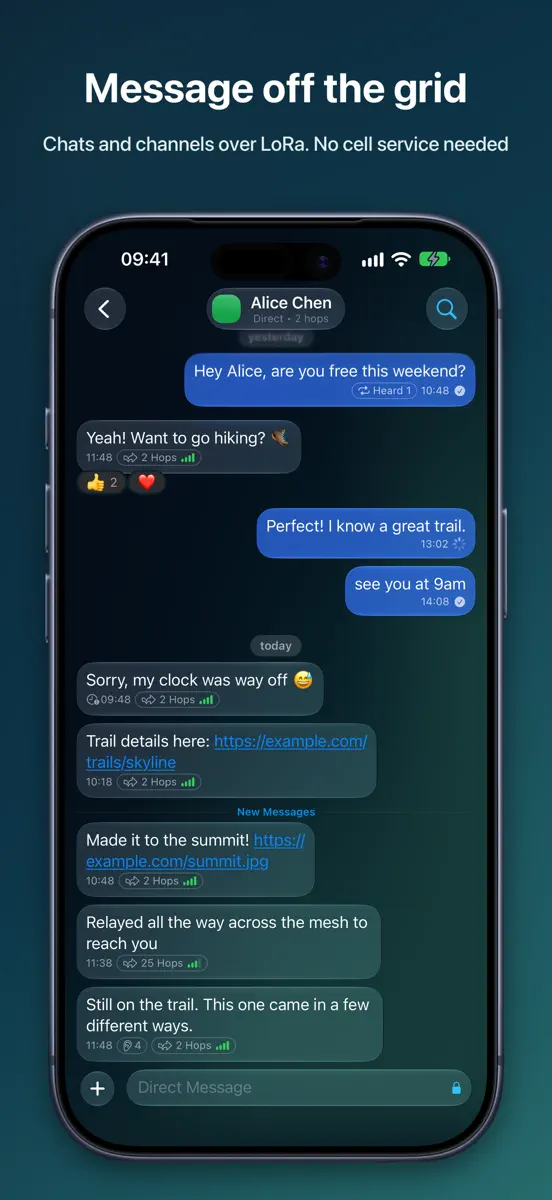
CAIRN is a companion app for MeshCore LoRa mesh radios. Pair your radio over Bluetooth or WiFi and send messages through a community-built network of radios and repeaters, with no cell service, no internet and no account. MESSAGING - Direct messages, channels and room servers in one inbox, with filters and favorites on top - Public, private and hashtag channels; share or join a channel by QR code - Delivery status, with retry for failed sends - Emoji reactions, @mentions, forwarding, search…
Ranks come from Apple's public App Store charts, checked once a day. Appulse Index isn't affiliated with Apple.
Rank history
Higher on the chart is better: #1 is at the top.
Sign in to see 30 days, 90 days and all history.
United States · Paid · Utilities: best #51, latest #51, over 7 snapshots since 15 Nov.
In 2 charts now
| Chart | Rank | 24 h | 7 days | Best | Days on chart |
|---|---|---|---|---|---|
| United States· Paid · Utilities · best #51 · 1 day | #51 | New entry | Not enough history yet | #51 | 1 |
| Canada· Paid · Utilities · best #90 · 1 day | #90 | New entry | Not enough history yet | #90 | 1 |
Competitors
Compare with the top 3Full chartTop of Paid · Utilities in United States. CairnOS is #51 there. Changes are over 7 days.
- #1 (number one)No change
 ShadowrocketShadow Launch Technology Limited
- #2Up 5 places
 Stash - Rule Based ProxySTASH NETWORKS LIMITED
- #3Down 1 place
 Noir - Dark Mode for SafariJeffrey Kuiken
- #4Up 1 place
 FORScan Lite - for Ford, MazdaAleksei Savin
- #5Down 2 places
 Necrophonicchris rogers
- #6No change
 Wipr 2Kaylee Calderolla
- #7Up 17 places
 atvToolsOleksandr Hamlii
- #8Up 11 places
 Just Press RecordOpen Planet Software
- #9Up 11 places
 Necrometerchris rogers
- #10Up 17 places
 EasyMSR向阳 张
- #11Up 1 place
 Frame Crop – Art ModeShane Jeffers
- #12Up 14 places
 EasyTierChengdu Yisitai Technology Co., Ltd.
- #13Up 17 places
 Number ShieldKinnaman Software LLC
- #14Up 11 places
 Private LLM - Local AI ChatNumen Technologies Limited
- #15Up 21 places
- #16Not enough history yet
 ECHOCAT - Ham Radio RemoteAspen Ventures, LLC
- #17Up 34 places
 Quantumult XCross Utility Ltd
- #18Up 3 places
 R8 CompanionAngela Mcarthur
- #19Down 1 place
 Mapper for SafariAlex Kitcoff
- #20Up 8 places
 Piping DataBase - XTREMERadin Alcira

Screenshots





More from Christopher Van Hoose
| App | Best rank now | Released | App Store |
|---|---|---|---|
 GenR8Photo & Video · | Not charting |

As of 21 Nov 2026, CairnOS is #51 in Paid · Utilities in the United States, its best of 2 chart positions across 2 countries. Appulse Index first saw CairnOS in a tracked chart on 20 Nov 2026. Since then it has charted on 2 days in 3 countries, with a best rank of #51 in Paid · Utilities in the United States on 21 Nov 2026.
Store listing
How the app presents itself on the App Store. Select a screenshot to open it full size.
App facts
What Apple publishes about this app. Ratings are from one country's App Store.
- Price
- $24.99
- Released
- 21 Oct 2026
- Last update
- Version 1.5
- Requires
- iOS 18.0or later
- Size
- 63.4 MB
- Languages
- 12
Chart record
Every tracked chart, country and day since Appulse Index first saw this app in a chart.
Rank history
Higher on the chart is better: #1 is at the top.
Sign in to see 30 days, 90 days and all history.
United States · Paid · Utilities: best #51, latest #51, over 7 snapshots since 15 Nov.
Current rankings
Every chart this app is in right now, best position first.
| Chart | Rank | 24 h | 7 days | Best | Days on chart |
|---|---|---|---|---|---|
| United States· Paid · Utilities · best #51 · 1 day | #51 | New entry | Not enough history yet | #51 | 1 |
| Canada· Paid · Utilities · best #90 · 1 day | #90 | New entry | Not enough history yet | #90 | 1 |
Ranking events
Entries, big moves, #1s and new versions we've recorded, by day.
- Entered the Paid · Utilities chart at #90Canada
- Entered the Paid · Utilities chart at #51United States
- Entered the Paid · Utilities chart at #96United Kingdom
Competitors
Compare with the top 3Full chartTop of Paid · Utilities in United States. CairnOS is #51 there. Changes are over 7 days.
- #1 (number one)No changeShadowrocketShadow Launch Technology Limited
- #2Up 5 placesStash - Rule Based ProxySTASH NETWORKS LIMITED
- #3Down 1 placeNoir - Dark Mode for SafariJeffrey Kuiken
- #4Up 1 placeFORScan Lite - for Ford, MazdaAleksei Savin
- #5Down 2 placesNecrophonicchris rogers
- #6No changeWipr 2Kaylee Calderolla
- #7Up 17 placesatvToolsOleksandr Hamlii
- #8Up 11 placesJust Press RecordOpen Planet Software
- #9Up 11 placesNecrometerchris rogers
- #10Up 17 placesEasyMSR向阳 张
- #11Up 1 placeFrame Crop – Art ModeShane Jeffers
- #12Up 14 placesEasyTierChengdu Yisitai Technology Co., Ltd.
- #13Up 17 placesNumber ShieldKinnaman Software LLC
- #14Up 11 placesPrivate LLM - Local AI ChatNumen Technologies Limited
- #15Up 21 places
- #16Not enough history yetECHOCAT - Ham Radio RemoteAspen Ventures, LLC
- #17Up 34 placesQuantumult XCross Utility Ltd
- #18Up 3 placesR8 CompanionAngela Mcarthur
- #19Down 1 placeMapper for SafariAlex Kitcoff
- #20Up 8 placesPiping DataBase - XTREMERadin Alcira
- #51New entry
 CairnOSThis app
About
From the app's App Store listing.
CAIRN is a companion app for MeshCore LoRa mesh radios. Pair your radio over Bluetooth or WiFi and send messages through a community-built network of radios and repeaters, with no cell service, no internet and no account.
MESSAGING
- Direct messages, channels and room servers in one inbox, with filters and favorites on top
- Public, private and hashtag channels; share or join a channel by QR code
- Delivery status, with retry for failed sends
- Emoji reactions, @mentions, forwarding, search…
What's new
Version 1.5 · 12 Nov 2026 ·
New in 1.5
Your Cairn radio can now record trips, the radio's clock and time zone follow your phone, and the app is steadier in the background.
NEW
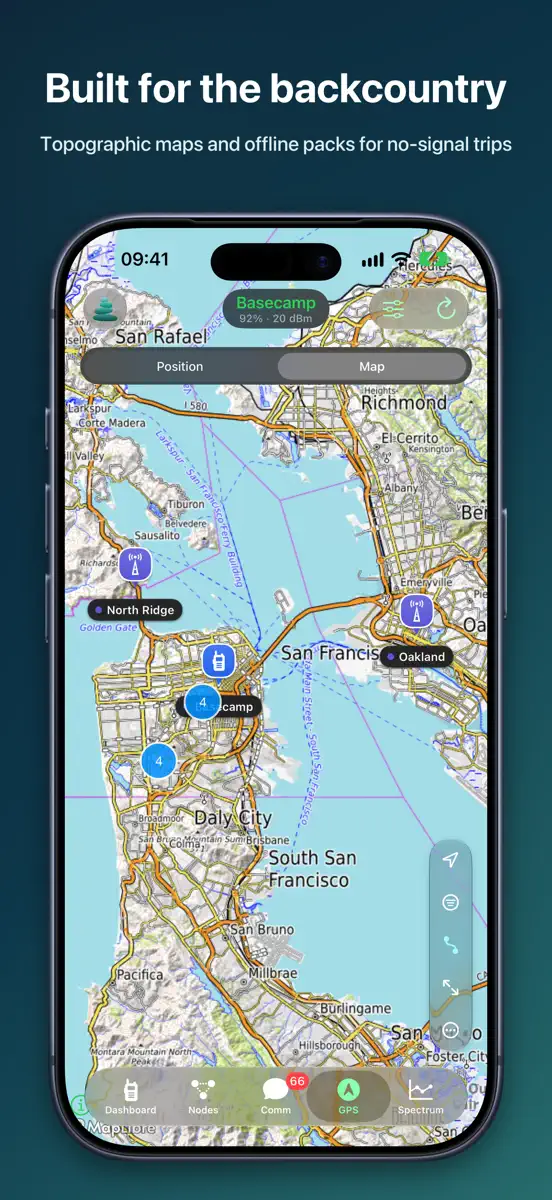
- Trips: tap the hiking button on the Map tab and Record Trip. A Cairn radio with a card slot, like the Wio Tracker L2, records from its own GPS until you stop, so your phone can sleep or stay behind. Open a trip to copy it to your iPhone: its trail on a map colored by elevation, distance, moving time, average speed, climb and descent, and an elevation profile. Export any trip as GPX. Under the trips: 14 days of steps from a Cairn radio's step counter.
- Clock and time zone: Cairn sets your radio's clock and time zone from your phone each time it connects. Device Info › Clock shows the radio's time and how far off it is, with Sync Clock Now and a time zone picker. Radios with a screen show local time.
- Repeater and room server dashboards show the node's clock, with a button to sync it.
- Several Wi-Fi addresses for one radio. Cairn tries each one in turn.
- Traffic: a packet's details say who it's for: a channel on your list, a channel you don't have, you, or other nodes.
- Spectrum full screen has an Advert button.
IMPROVED
- Your radio's sensors are in the Dashboard header: temperature, and on Cairn radios heading, motion, tilt and steps. Node pages and the Map tab lay them out the same way.
- Every node page has the same header as Device Info, and heard nodes show full details with a map.
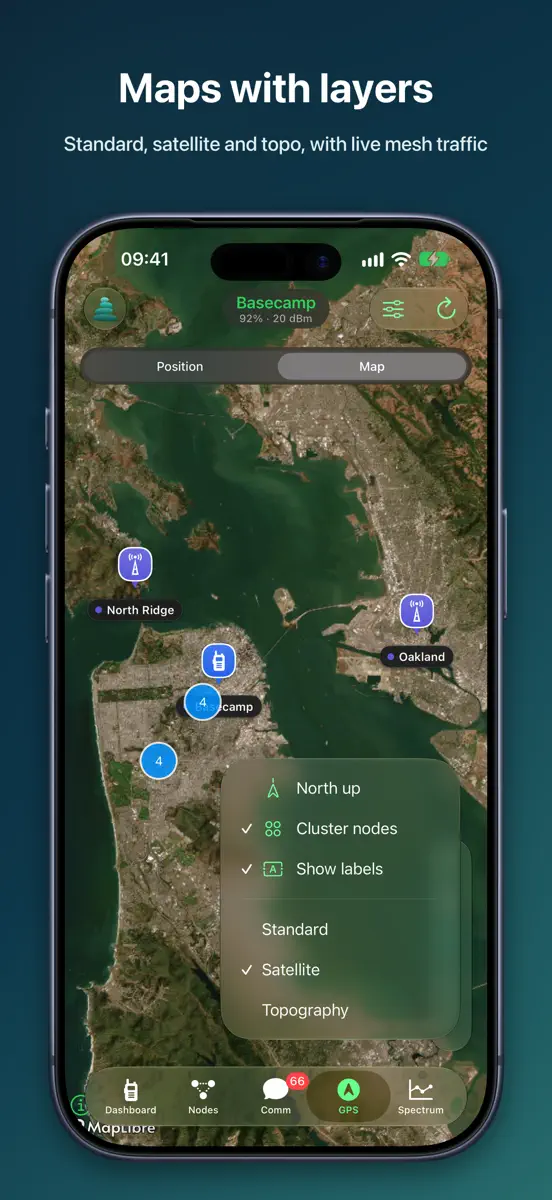
- The Map tab fits on one screen, with one GPS card for your radio and phone.
- Repeaters are smaller on the map, so on a busy mesh they no longer cover each other. Tap one and it grows to full size.
- Map labels stay put: where labels crowd, the map now picks the same one every time.
- A repeater's Controls page reads only the groups you open, instead of 24 requests over the mesh.
- Long-press a message for a grid of actions, with Details, Heard Via and Path below.
- After you connect, Cairn opens the Dashboard while your radio syncs. When a radio disconnects, it goes to My Radios.
- Less work in the background, so your phone runs cooler with a radio connected on a busy mesh. Background refresh now checks only your own radio, so it no longer logs in to repeaters.
- Import Key and Regenerate Key are in Settings › Connection & Security › Identity.
FIXED
- Cairn no longer disappears in the background while saving with a radio connected.
- If Cairn can't open its data at launch, it shows Try Again instead of closing. Nothing is erased.
- On the Mac, a chat no longer closes the app when a message updates.
- A private channel in the radio's first slot no longer shows as Public, and Join Public never writes over another channel.
- Incoming Region is filled in for messages that arrived without it.
- American spelling throughout the English text.
GOOD TO KNOW The first launch moves your data to a new place on the phone, once. Trips and steps need Cairn 131 firmware or newer; everything else works with stock MeshCore.
More from Christopher Van Hoose
Their other apps that Appulse has seen in the charts, charting ones first.
| App | Best rank now | Released | App Store |
|---|---|---|---|
GenR8Photo & Video · | Not charting |
Ranks come from Apple's public App Store charts, checked once a day. Appulse Index isn't affiliated with Apple.