

As of 21 Nov 2026, Barya: Offline Expense Tracker is #13 in Paid · Finance in Brazil, the one tracked chart it's in. Its best rank in the last 7 days was #5 in Paid · Finance in Brazil. Appulse Index first saw Barya: Offline Expense Tracker in a tracked chart on 18 Nov 2026. Since then it has charted on 4 days in 1 country, with a best rank of #5 in Paid · Finance in Brazil on 18 Nov 2026.
Current rank
#13Brazil · Paid · Finance
- Was
- —7 days ago
- Change
- Not enough history yetover 7 days
- Best
- #5in 7 days
- Longest chart run
- 4 daysBrazil · Paid · Finance
- New ratings, 7 days
- —Needs a week of rating history
Chart record
Every tracked chart, country and day since Appulse Index first saw this app in a chart.
What's new
Version 1.3.0 · 3 days ago
• Notes on any expense. Open the Ledger, tap an entry and write what it was for, like "Netflix" on a 279 bill. The note shows under the entry and search finds it. • Logging is still one amount and one tap. Notes are added later, whenever you want to look back.
Ranking events
- Entered the Paid · Finance chart at #5Brazil
About
Most expense apps make you open a form. Barya opens on a keypad. Type the amount. Tap what it was for. That's it: no save button, no form, no keyboard sliding over your hand. The entry is saved before your finger leaves the glass, and the total at the top has already changed. The keypad does arithmetic too. Split a bill as 1200 ÷ 4, or add up a commute as 13 + 13. The answer is what gets filed. ONE TAP IN, ONE TAP BACK The line above the keypad names what you just filed and carries Undo with
Ranks come from Apple's public App Store charts, checked once a day. Appulse Index isn't affiliated with Apple.
Rank history
Higher on the chart is better: #1 is at the top.
Sign in to see 30 days, 90 days and all history.
Brazil · Paid · Finance: best #5, latest #13, over 7 snapshots since 15 Nov.
In 1 chart now
| Chart | Rank | 24 h | 7 days | Best | Days on chart |
|---|---|---|---|---|---|
| Brazil· Paid · Finance · best #5 · 4 days | #13 | Down 1 place | Not enough history yet | #5 | 4 |
Competitors
Compare with the top 3Full chartTop of Paid · Finance in Brazil. Barya: Offline Expense Tracker is #13 there. Changes are over 7 days.
- #1 (number one)Up 1 place
 HP 12c Financial CalculatorMORAVIA Consulting, spol. s r.o.
- #2Down 1 place
 PrumaloreGabriel Porciuncula
- #3Up 11 places
 My Wallet+Block21 AB
- #4Up 42 places
 10bii+ Calculadora FinanceiraVicinno Soft LLC
- #5Up 89 places
 Cifra ClaraVITA MUNHOZ TECNOLOGIA LTDA
- #6Down 3 places
 CalcTape Paper Tape Calculatorschoettler Software GmbH
- #7Down 1 place
 Argo SistemasArgo Sistemas Ltda
- #8Up 3 places
 JalixCOREDOT SERVICOS E TECNOLOGIA LTDA
- #9Up 4 places
 Calculadora do TrabalhadorLucas Zamboni
- #10Up 2 places
 Money Pro: Personal Finance ARiBear LLC
- #11Down 2 places
 Money Manager (Remove Ads)Realbyte Inc.
- #12Up 77 places
 Conversor de moedaRaphael Odermatt
- #14Up 1 place
 Vicinno Calculadora FinanceiraVicinno Soft LLC
- #15Up 1 place
 HP 12C Platinum CalculatorMORAVIA Consulting, spol. s r.o.
- #16Up 1 place
 HomeBudget with SyncAnishu, Inc.
- #17Up 1 place
 iXpenseIt Pro: Manage FinanceFYI Mobileware, Inc.
- #18Up 1 place
 Money Manager ClassicRealByte
- #19Up 1 place
 Cálculo de Prestações ProFortes Tecnologia em Sistemas Ltda
- #20Down 10 places
 Road Trip MPGDarren Stone
- #21No change
 DataMan - Data Usage WidgetJohnny Ixe
Screenshots


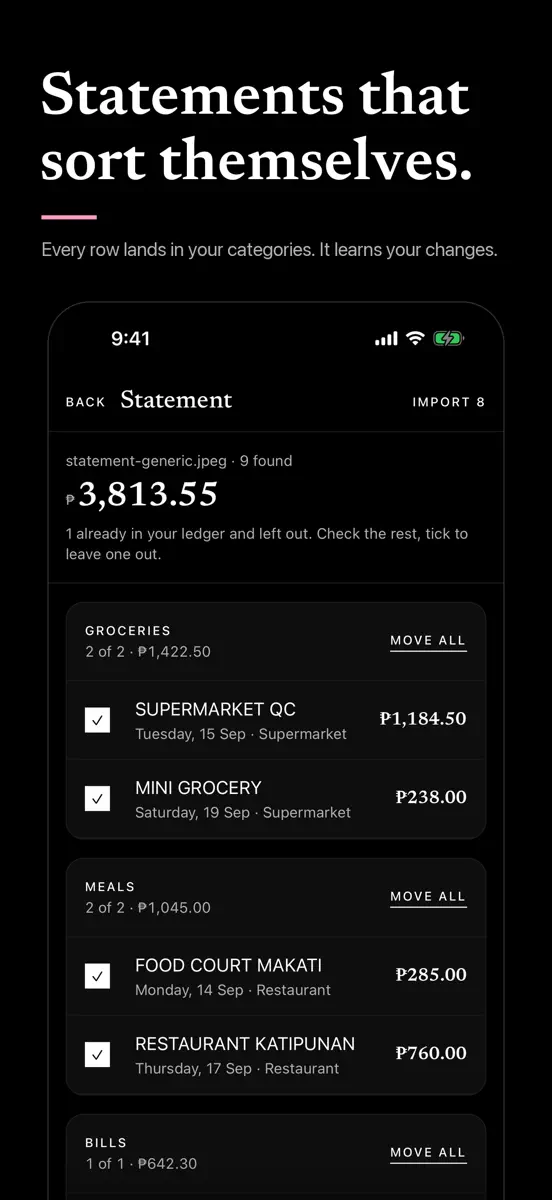


As of 21 Nov 2026, Barya: Offline Expense Tracker is #13 in Paid · Finance in Brazil, the one tracked chart it's in. Its best rank in the last 7 days was #5 in Paid · Finance in Brazil. Appulse Index first saw Barya: Offline Expense Tracker in a tracked chart on 18 Nov 2026. Since then it has charted on 4 days in 1 country, with a best rank of #5 in Paid · Finance in Brazil on 18 Nov 2026.
Store listing
How the app presents itself on the App Store. Select a screenshot to open it full size.
App facts
What Apple publishes about this app. Ratings are from one country's App Store.
- Price
- R$4.90
- Released
- 2 Oct 2026
- Last update
- Version 1.3.0
- Requires
- iOS 16.4or later
- Size
- 44.5 MB
- Languages
- 1
Chart record
Every tracked chart, country and day since Appulse Index first saw this app in a chart.
Rank history
Higher on the chart is better: #1 is at the top.
Sign in to see 30 days, 90 days and all history.
Brazil · Paid · Finance: best #5, latest #13, over 7 snapshots since 15 Nov.
Current rankings
Every chart this app is in right now, best position first.
| Chart | Rank | 24 h | 7 days | Best | Days on chart |
|---|---|---|---|---|---|
| Brazil· Paid · Finance · best #5 · 4 days | #13 | Down 1 place | Not enough history yet | #5 | 4 |
Ranking events
Entries, big moves, #1s and new versions we've recorded, by day.
- Entered the Paid · Finance chart at #5Brazil
Competitors
Compare with the top 3Full chartTop of Paid · Finance in Brazil. Barya: Offline Expense Tracker is #13 there. Changes are over 7 days.
- #1 (number one)Up 1 placeHP 12c Financial CalculatorMORAVIA Consulting, spol. s r.o.
- #2Down 1 placePrumaloreGabriel Porciuncula
- #3Up 11 placesMy Wallet+Block21 AB
- #4Up 42 places10bii+ Calculadora FinanceiraVicinno Soft LLC
- #5Up 89 placesCifra ClaraVITA MUNHOZ TECNOLOGIA LTDA
- #6Down 3 placesCalcTape Paper Tape Calculatorschoettler Software GmbH
- #7Down 1 placeArgo SistemasArgo Sistemas Ltda
- #8Up 3 placesJalixCOREDOT SERVICOS E TECNOLOGIA LTDA
- #9Up 4 placesCalculadora do TrabalhadorLucas Zamboni
- #10Up 2 placesMoney Pro: Personal Finance ARiBear LLC
- #11Down 2 placesMoney Manager (Remove Ads)Realbyte Inc.
- #12Up 77 placesConversor de moedaRaphael Odermatt
- #13Not enough history yet
 Barya: Offline Expense TrackerThis app
- #14Up 1 placeVicinno Calculadora FinanceiraVicinno Soft LLC
- #15Up 1 placeHP 12C Platinum CalculatorMORAVIA Consulting, spol. s r.o.
- #16Up 1 placeHomeBudget with SyncAnishu, Inc.
- #17Up 1 placeiXpenseIt Pro: Manage FinanceFYI Mobileware, Inc.
- #18Up 1 placeMoney Manager ClassicRealByte
- #19Up 1 placeCálculo de Prestações ProFortes Tecnologia em Sistemas Ltda
- #20Down 10 placesRoad Trip MPGDarren Stone
- #21No changeDataMan - Data Usage WidgetJohnny Ixe
About
From the app's App Store listing.
Most expense apps make you open a form. Barya opens on a keypad.
Type the amount. Tap what it was for. That's it: no save button, no form, no keyboard sliding over your hand. The entry is saved before your finger leaves the glass, and the total at the top has already changed.
The keypad does arithmetic too. Split a bill as 1200 ÷ 4, or add up a commute as 13 + 13. The answer is what gets filed.
ONE TAP IN, ONE TAP BACK The line above the keypad names what you just filed and carries Undo with
What's new
Version 1.3.0 · 17 Nov 2026 ·
- Notes on any expense. Open the Ledger, tap an entry and write what it was for, like "Netflix" on a 279 bill. The note shows under the entry and search finds it.
- Logging is still one amount and one tap. Notes are added later, whenever you want to look back.
Ranks come from Apple's public App Store charts, checked once a day. Appulse Index isn't affiliated with Apple.