

As of 21 Nov 2026, Obsidian - Connected Notes is #77 in Free · Productivity in Japan, its best of 2 chart positions across 2 countries. Over the last 7 days its biggest climb was 5 places, to #77 in Free · Productivity in Japan. Appulse Index first saw Obsidian - Connected Notes in a tracked chart on 8 Oct 2026. Since then it has charted on 44 days in 5 countries, with a best rank of #33 in Free · Productivity in Spain on 16 Oct 2026.
Current rank
#77Japan · Free · Productivity
- Was
- #827 days ago
- Change
- Up 5 placesover 7 days
- Best
- #77in 7 days
- Longest chart run
- 44 daysJapan · Free · Productivity
- New ratings, 7 days
- +3Germany · since 14 Nov 2026
Chart record
Every tracked chart, country and day since Appulse Index first saw this app in a chart.
What's new
Version 1.15.1 · 8 days ago
New - iOS: Added an Obsidian tile to the Quick Capture home screen widgets. - Added the Web viewer core plugin. With Open external links turned on in its settings, links to web pages open in an in-app browser that slides up over your note. Improvements - Settings, menus and other sheets now open and close more smoothly. - Sidebars on phone stay in place and fade in as the note slides to the side. The Sliding sidebars setting has been removed. - Community plugins now load faster when Obsidian starts. - iOS: The small Quick Capture home screen widget now shows up to 4 tiles in a 2×2 grid. - iOS: Save Audio File in voice capture settings is now off by default. Turn it on to also keep the audio file. - iOS: Voice capture now starts a new line when you pause speaking for 2 seconds. - iOS: Signing up for an account now opens in a sheet that slides up from the bottom. - Manage vaults: Swiping from the edge of the screen now goes back. - Manage vaults: Renaming, moving, and deleting a vault are now in the ... menu at the top of the vault's screen. - Manage vaults: Each vault now shows where it's stored, file count, Sync vault, and community plugins before you open it. If community plugins were slow to load last time, it suggests opening in restricted mode. - Manage vaults: If a vault didn't finish opening last time, Obsidian now shows the vault screen instead of reopening it, including when opened from a link. The vault is marked in the vault list, and suggests opening in restricted mode. - Manage vaults: A new vault with the same name as a deleted, forgotten or renamed vault confirms again whether to trust community plugins. - Settings and Community plugins: Swiping back from the edge of the screen now takes a lighter flick, and the previous page slides in underneath. - Formatting buttons in the editor toolbar now highlight when their style is active. No longer broken - iOS: Fixed the Add button in Quick Capture Locations staying greyed out after deleting every location, until you closed and reopened the sheet. - Tablet: Fixed an open sidebar staying in its old layout after resizing the app between tablet and phone sizes, such as in Split View. - Fixed settings and open tabs changed right before leaving the app sometimes going back to how they were the next time Obsidian opened. Developers - Sheets on phones no longer use --anim-motion-swing when opening. - On phones, the note and navbar get the is-sliding-sidebar class while a sidebar is open, and are dimmed by .workspace-drawer-backdrop and .workspace-drawer-navbar-backdrop. The sidebar itself no longer moves. The slidingSidebar config option has been removed.
Ranking events
- Entered the Free · Productivity chart at #92France
- Entered the Free · Productivity chart at #97Spain
- New version 1.15.1 (was 1.15.0)
- New version 1.15.0 (was 1.14.5)
- Climbed #74 → #47 in Free · ProductivityJapan
- Entered the Free · Productivity chart at #97Canada
Show 2 earlier events
- Entered the Free · Productivity chart at #92Canada
- New version 1.14.5 (was 1.14.4)
About
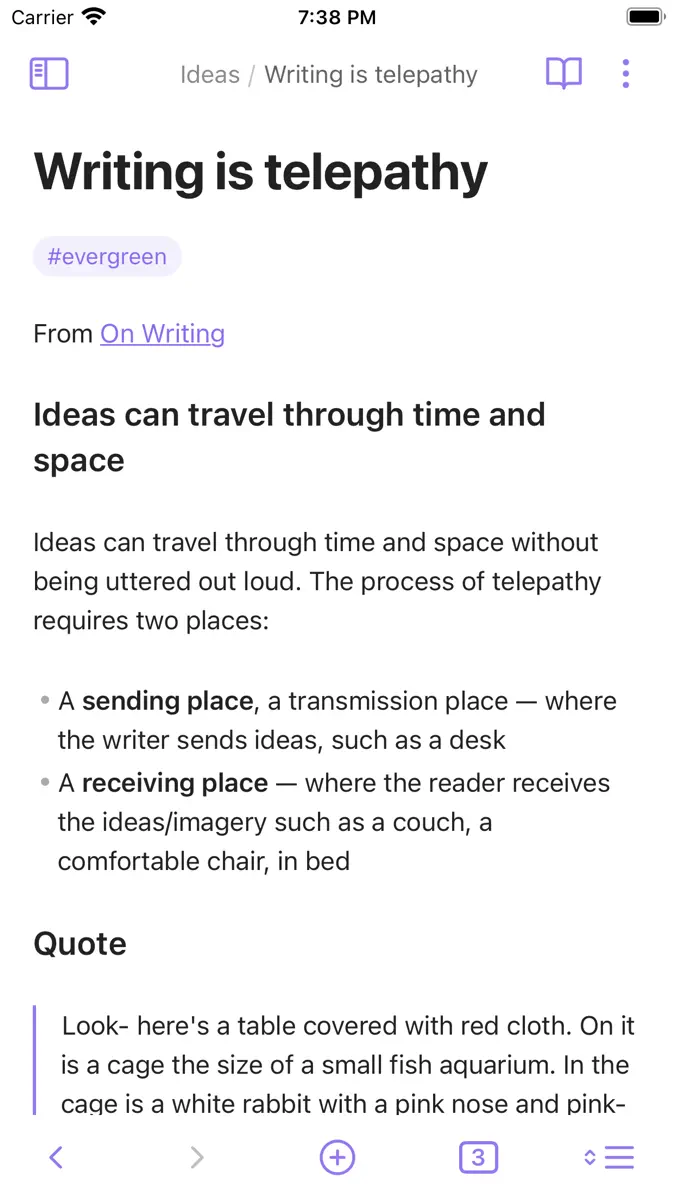
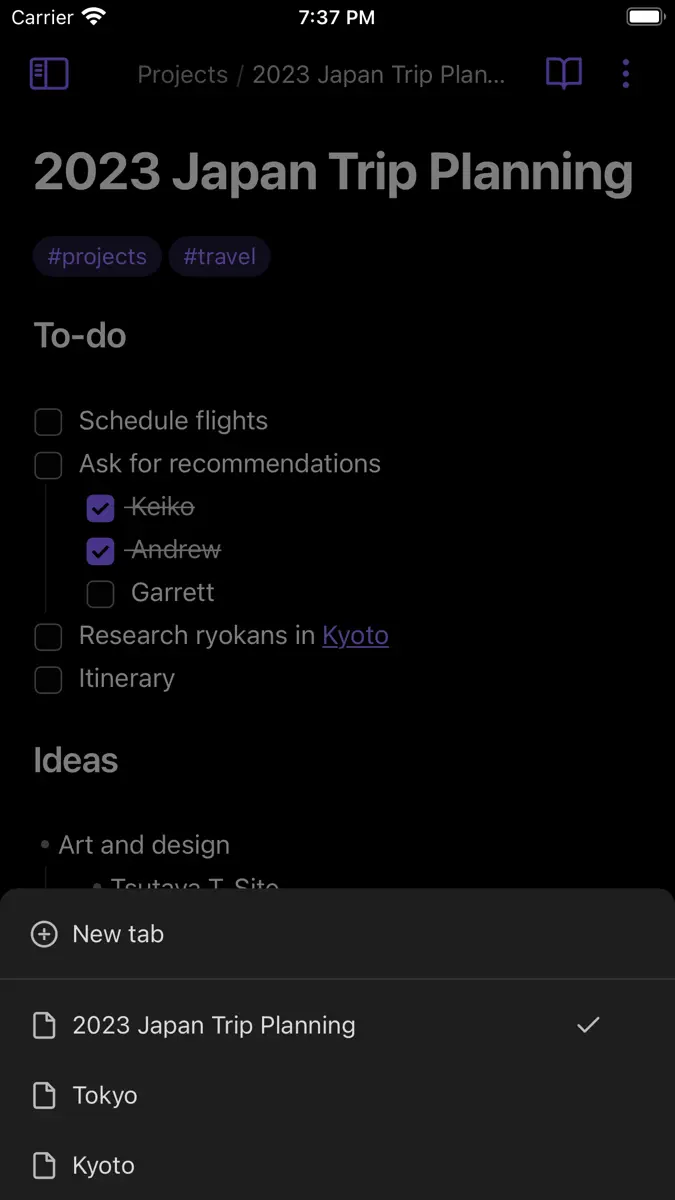
Obsidian is a powerful knowledge base that works on top of a local folder of plain text Markdown files. It is a second brain, for you, forever. Now available on the go for iOS! Features include: - Customizable toolbar - Pull down quick actions - Graph view - Community plugins - Themes - Sidebar pinning for tablet - iCloud vaults
Ranks come from Apple's public App Store charts, checked once a day. Appulse Index isn't affiliated with Apple.
Rank history
Higher on the chart is better: #1 is at the top.
Sign in to see 30 days, 90 days and all history.
Japan · Free · Productivity: best #77, latest #77, over 7 snapshots since 15 Nov.
In 2 charts now
| Chart | Rank | 24 h | 7 days | Best | Days on chart |
|---|---|---|---|---|---|
| Japan· Free · Productivity · best #47 · 44 days · 7 days Up 5 places | #77 | Up 15 places | Up 5 places | #47 | 44 |
| Germany· Free · Productivity · best #65 · 44 days · 7 days Down 14 places | #92 | Up 3 places | Down 14 places | #65 | 44 |
Competitors
Compare with the top 3Full chartTop of Free · Productivity in Japan. Obsidian - Connected Notes is #77 there. Changes are over 7 days.
- #1 (number one)No change
 Muse de MetaMeta Platforms, Inc.
- #2No change
 ChatGPTOpenAI OpCo, LLC
- #3No change
 Google GeminiGoogle
- #4No change
 Claude by AnthropicAnthropic PBC
- #5No change
- #6No change
- #7Up 2 places
 Microsoft AuthenticatorMicrosoft Corporation
- #8Up 2 places
 Google PlanilhasGoogle
- #9Down 1 place
 Microsoft CopilotMicrosoft Corporation
- #10Up 1 place
 TimeTree:Calendario compartidoTimeTree, Inc.
- #11Up 1 place
- #12Up 1 place
 Yahoo!メールYahoo Japan Corporation
- #13Up 1 place
 LINEカレンダーLINE Corporation
- #14Up 4 places
 Grok - AI AssistantX Corp.
- #15Up 1 place
 Documentos GoogleGoogle
- #16Up 4 places
 Ligar ao WindowsMicrosoft Corporation
- #17Down 2 places
 シンプルカレンダー - スケジュール帳、予定表かれんだー管理Komorebi Inc.
- #18Up 3 places
 Microsoft ExcelMicrosoft Corporation
- #19Down 2 places
 Edge Tracker 年末調整申告MIROKU JYOHO SERVICE CO., LTD.
- #20Up 2 places
 Microsoft WordMicrosoft Corporation


Screenshots




As of 21 Nov 2026, Obsidian - Connected Notes is #77 in Free · Productivity in Japan, its best of 2 chart positions across 2 countries. Over the last 7 days its biggest climb was 5 places, to #77 in Free · Productivity in Japan. Appulse Index first saw Obsidian - Connected Notes in a tracked chart on 8 Oct 2026. Since then it has charted on 44 days in 5 countries, with a best rank of #33 in Free · Productivity in Spain on 16 Oct 2026.
Store listing
How the app presents itself on the App Store. Select a screenshot to open it full size.
App facts
What Apple publishes about this app. Ratings are from one country's App Store.
- Price
- Free
- Rating
- 4.4 / 5 stars792 ratings Germany
- Released
- 10 Jul 2021
- Last update
- Version 1.15.1
- Requires
- iOS 15.6or later
- Size
- 40.7 MB
- Languages
- 42
Chart record
Every tracked chart, country and day since Appulse Index first saw this app in a chart.
Rank history
Higher on the chart is better: #1 is at the top.
Sign in to see 30 days, 90 days and all history.
Japan · Free · Productivity: best #77, latest #77, over 7 snapshots since 15 Nov.
Current rankings
Every chart this app is in right now, best position first.
| Chart | Rank | 24 h | 7 days | Best | Days on chart |
|---|---|---|---|---|---|
| Japan· Free · Productivity · best #47 · 44 days · 7 days Up 5 places | #77 | Up 15 places | Up 5 places | #47 | 44 |
| Germany· Free · Productivity · best #65 · 44 days · 7 days Down 14 places | #92 | Up 3 places | Down 14 places | #65 | 44 |
Ranking events
Entries, big moves, #1s and new versions we've recorded, by day.
- Entered the Free · Productivity chart at #92France
- Entered the Free · Productivity chart at #97Spain
- New version 1.15.1 (was 1.15.0)
- New version 1.15.0 (was 1.14.5)
- Climbed #74 → #47 in Free · ProductivityJapan
- Entered the Free · Productivity chart at #97Canada
- Entered the Free · Productivity chart at #92Canada
- New version 1.14.5 (was 1.14.4)
Competitors
Compare with the top 3Full chartTop of Free · Productivity in Japan. Obsidian - Connected Notes is #77 there. Changes are over 7 days.
- #1 (number one)No changeMuse de MetaMeta Platforms, Inc.
- #2No changeChatGPTOpenAI OpCo, LLC
- #3No changeGoogle GeminiGoogle
- #4No changeClaude by AnthropicAnthropic PBC
- #5No change
- #6No change
- #7Up 2 placesMicrosoft AuthenticatorMicrosoft Corporation
- #8Up 2 placesGoogle PlanilhasGoogle
- #9Down 1 placeMicrosoft CopilotMicrosoft Corporation
- #10Up 1 placeTimeTree:Calendario compartidoTimeTree, Inc.
- #11Up 1 place
- #12Up 1 placeYahoo!メールYahoo Japan Corporation
- #13Up 1 placeLINEカレンダーLINE Corporation
- #14Up 4 placesGrok - AI AssistantX Corp.
- #15Up 1 placeDocumentos GoogleGoogle
- #16Up 4 placesLigar ao WindowsMicrosoft Corporation
- #17Down 2 placesシンプルカレンダー - スケジュール帳、予定表かれんだー管理Komorebi Inc.
- #18Up 3 placesMicrosoft ExcelMicrosoft Corporation
- #19Down 2 placesEdge Tracker 年末調整申告MIROKU JYOHO SERVICE CO., LTD.
- #20Up 2 placesMicrosoft WordMicrosoft Corporation
- #77Up 5 places
 Obsidian - Connected NotesThis app
About
From the app's App Store listing.
Obsidian is a powerful knowledge base that works on top of a local folder of plain text Markdown files.
It is a second brain, for you, forever. Now available on the go for iOS!
Features include:
- Customizable toolbar
- Pull down quick actions
- Graph view
- Community plugins
- Themes
- Sidebar pinning for tablet
- iCloud vaults
What's new
Version 1.15.1 · 12 Nov 2026 ·
New
- iOS: Added an Obsidian tile to the Quick Capture home screen widgets.
- Added the Web viewer core plugin. With Open external links turned on in its settings, links to web pages open in an in-app browser that slides up over your note.
Improvements
- Settings, menus and other sheets now open and close more smoothly.
- Sidebars on phone stay in place and fade in as the note slides to the side. The Sliding sidebars setting has been removed.
- Community plugins now load faster when Obsidian starts.
- iOS: The small Quick Capture home screen widget now shows up to 4 tiles in a 2×2 grid.
- iOS: Save Audio File in voice capture settings is now off by default. Turn it on to also keep the audio file.
- iOS: Voice capture now starts a new line when you pause speaking for 2 seconds.
- iOS: Signing up for an account now opens in a sheet that slides up from the bottom.
- Manage vaults: Swiping from the edge of the screen now goes back.
- Manage vaults: Renaming, moving, and deleting a vault are now in the ... menu at the top of the vault's screen.
- Manage vaults: Each vault now shows where it's stored, file count, Sync vault, and community plugins before you open it. If community plugins were slow to load last time, it suggests opening in restricted mode.
- Manage vaults: If a vault didn't finish opening last time, Obsidian now shows the vault screen instead of reopening it, including when opened from a link. The vault is marked in the vault list, and suggests opening in restricted mode.
- Manage vaults: A new vault with the same name as a deleted, forgotten or renamed vault confirms again whether to trust community plugins.
- Settings and Community plugins: Swiping back from the edge of the screen now takes a lighter flick, and the previous page slides in underneath.
- Formatting buttons in the editor toolbar now highlight when their style is active.
No longer broken
- iOS: Fixed the Add button in Quick Capture Locations staying greyed out after deleting every location, until you closed and reopened the sheet.
- Tablet: Fixed an open sidebar staying in its old layout after resizing the app between tablet and phone sizes, such as in Split View.
- Fixed settings and open tabs changed right before leaving the app sometimes going back to how they were the next time Obsidian opened.
Developers
- Sheets on phones no longer use --anim-motion-swing when opening.
- On phones, the note and navbar get the is-sliding-sidebar class while a sidebar is open, and are dimmed by .workspace-drawer-backdrop and .workspace-drawer-navbar-backdrop. The sidebar itself no longer moves. The slidingSidebar config option has been removed.
Ranks come from Apple's public App Store charts, checked once a day. Appulse Index isn't affiliated with Apple.