

As of 21 Nov 2026, GPS & Map Toolbox is #24 in Paid · Navigation in Mexico, its best of 5 chart positions across 5 countries. Over the last 7 days its biggest climb was 7 places, to #66 in Paid · Navigation in Canada. Appulse Index first saw GPS & Map Toolbox in a tracked chart on 8 Oct 2026. Since then it has charted on 44 days in 7 countries, with a best rank of #3 in Paid · Navigation in Mexico on 22 Oct 2026.
Current rank
#24Mexico · Paid · Navigation
- Was
- #277 days ago
- Change
- Up 3 placesover 7 days
- Best
- #24in 7 days
- Longest chart run
- 44 daysMexico · Paid · Navigation
- New ratings, 7 days
- 0Mexico · since 14 Nov 2026
Chart record
Every tracked chart, country and day since Appulse Index first saw this app in a chart.
What's new
Version 3.0.2 · 9 years ago
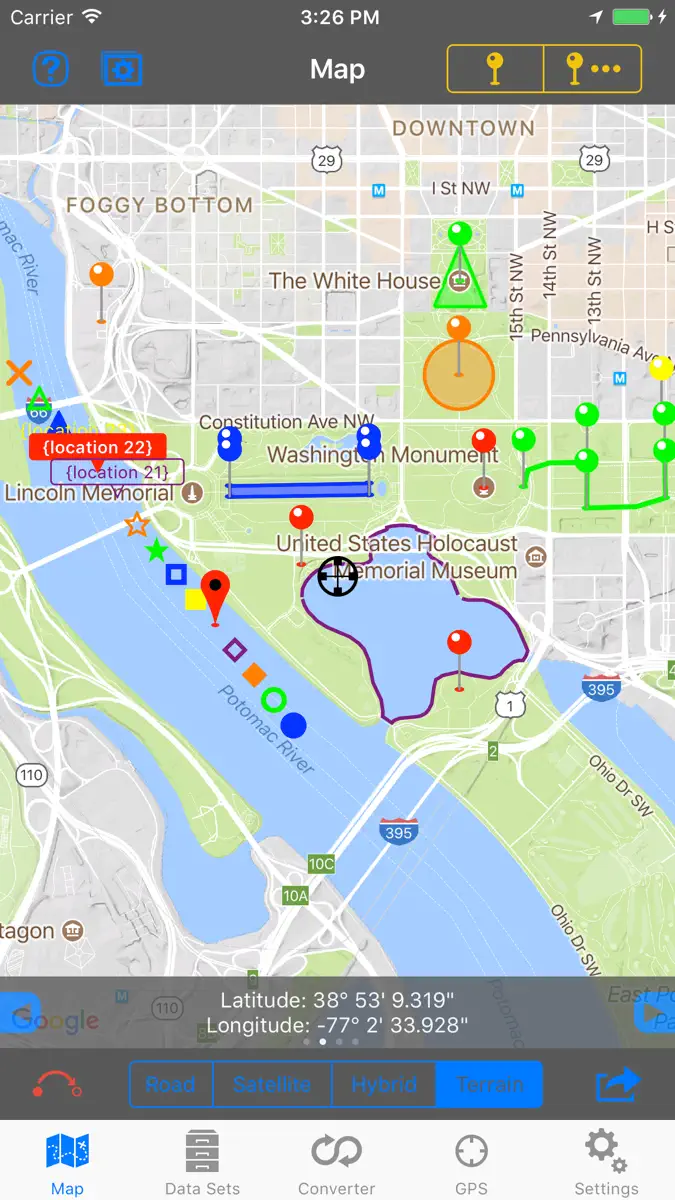
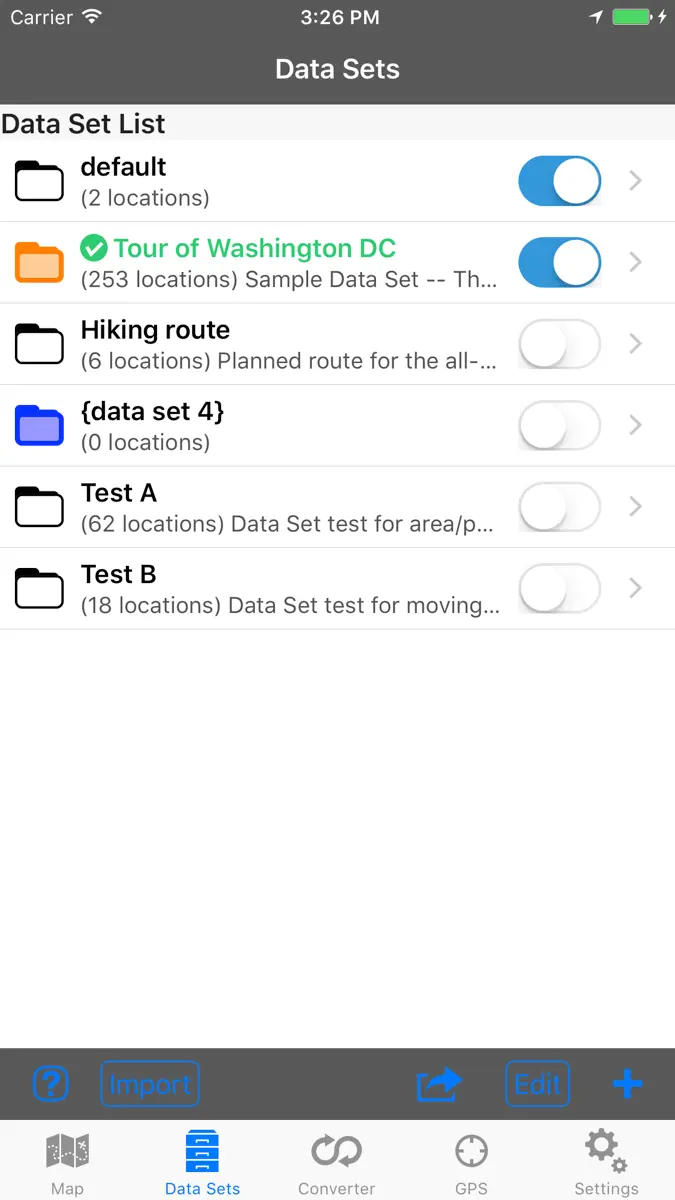
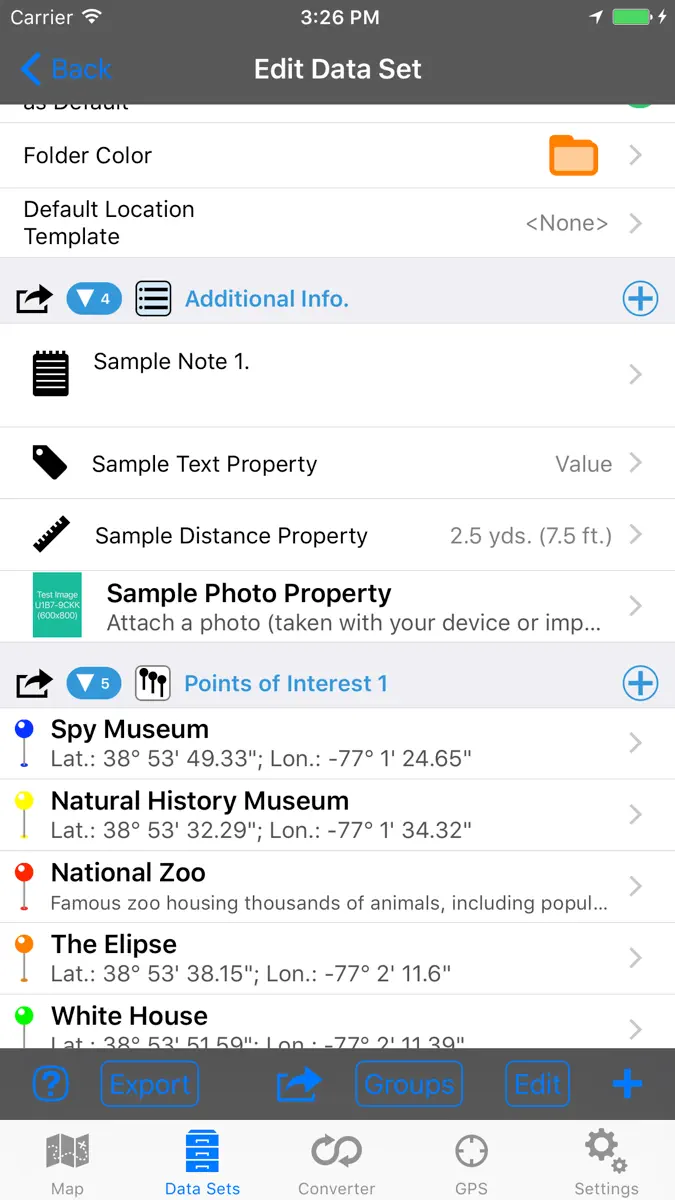
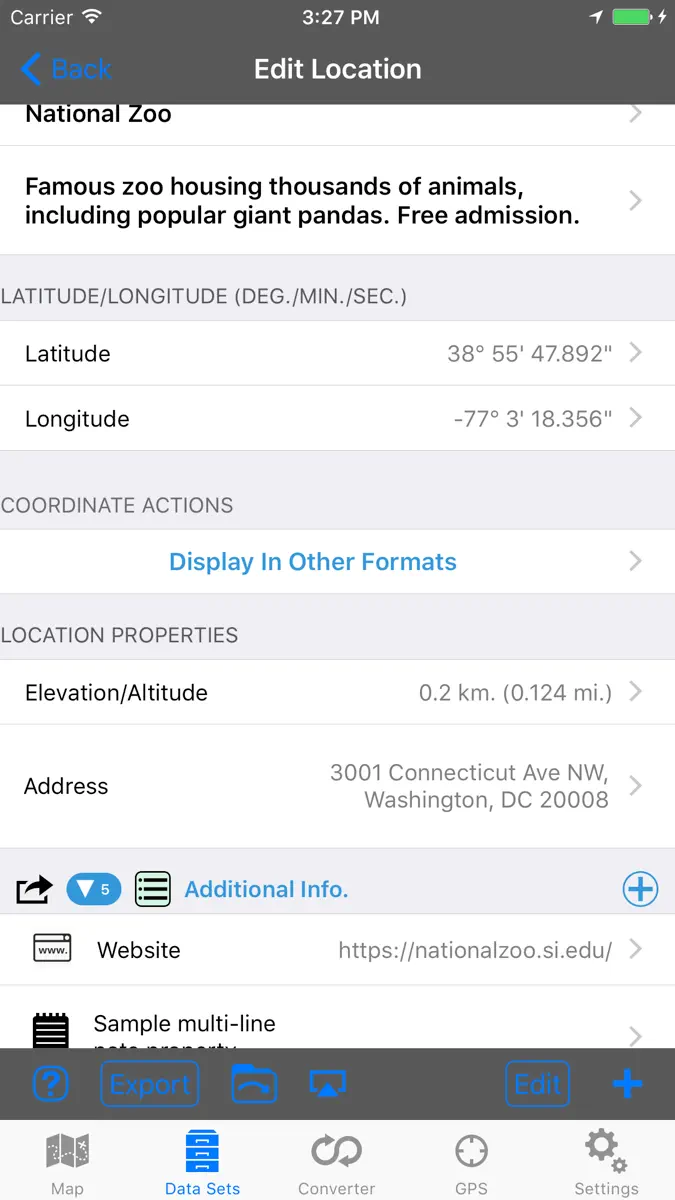
3.0.2: Bug fixes and minor performance improvements. 3.0.0: This is a major update that incorporates many of the frequently requested features. Continued feedback and suggestions are always appreciated. The new features include: •Updated for iOS 11 and 64-bit. (Requires at least iOS 8). •Renamed “Log File” to “Data Set”. •Data can be organized into different types of groups (Properties, Location Lists, Areas, Track/Path, Route). •Area, Track/Path, and Route groups are displayed on the map with customizable lines and fills. •Attach photos to a Data Set or Location. •Create custom properties in Data Set records. •Create custom properties of various text and number types (with or without units). New property types include notes, number/distance/area/angle/time/speed units, boolean, date/time, and URL. •Property values can auto-detect email addresses, URLs, and phone numbers so the appropriate actions can be performed on the data. •Define Location Templates which automatically create custom properties in newly created locations. •Perform calculations on groups of locations (such as area, path length, etc.). •New import options: GPX, KML/KMZ, CSV (comma separated values), TXT (tab delimited values), and Excel (supported through the CSV/TXT import feature). •Additional customization options when exporting data. •Export data to other third-party apps including cloud drive apps. •Import and export coordinates through the clipboard. •Additional map data sources (Google and OpenStreetMaps) for features such as: Map view, elevation, street view, geocoding, and place/business search. •Removed Bing Maps data source (This version is no longer supported by Microsoft). •Additional coordinate formats: UTM (Extended), British National Grid, and Dutch National Grid. •Additional distance units: Nautical Miles, Yards. •Additional location map overlay style and color options. •Move/Copy individual location records to other Data Sets. •Sorting data based one of several parameters. •Many additional map marker sizes and styles (Drop pins, various shapes, text labels). •Improved GPS performance. •Easily take map screenshots. •Hide Data Set list pane on iPad while in landscape orientation. •View location data from multiple data sets simultaneously. •Address data can be inputted into formatted fields. •Detailed help screens throughout the app as well as an F.A.Q. •Lots of additional display/feature customization options. *Some features require the purchase of an in-app upgrade.
Ranking events
- Entered the Paid · Navigation chart at #98Spain
- Entered the Paid · Navigation chart at #96Spain
- Entered the Paid · Navigation chart at #70United States
- Entered the Paid · Navigation chart at #89Australia
- Entered the Paid · Navigation chart at #95Australia
- Entered the Paid · Navigation chart at #90Australia
Show 1 earlier event
- Entered the Grossing · Navigation chart at #99Mexico
About
◦ This is the ultimate GPS location database tool designed to save, organize, share, display, import, export, and analyze location records and their properties. ◦ Extensive customization options make this app useful for everyone from salesmen, hikers, farmers, hunters, scientists, land/site surveyors, search & rescue, police, and military. ◦ The features are organized into levels so you only need to buy what you need. The basic features are available in the core app. The other feature levels…
Ranks come from Apple's public App Store charts, checked once a day. Appulse Index isn't affiliated with Apple.
Rank history
Higher on the chart is better: #1 is at the top.
Sign in to see 30 days, 90 days and all history.
Mexico · Paid · Navigation: best #24, latest #24, over 7 snapshots since 15 Nov.
In 5 charts now
| Chart | Rank | 24 h | 7 days | Best | Days on chart |
|---|---|---|---|---|---|
| Mexico· Paid · Navigation · best #3 · 44 days · 7 days Up 3 places | #24 | No change | Up 3 places | #3 | 44 |
| India· Paid · Navigation · best #42 · 44 days · 7 days Down 1 place | #47 | Down 1 place | Down 1 place | #42 | 44 |
| Canada· Paid · Navigation · best #64 · 44 days · 7 days Up 7 places | #66 | Down 2 places | Up 7 places | #64 | 44 |
| Brazil· Paid · Navigation · best #77 · 44 days · 7 days Up 3 places | #80 | No change | Up 3 places | #77 | 44 |
| Australia· Paid · Navigation · best #83 · 42 days · 7 days Up 5 places | #84 | No change | Up 5 places | #83 | 42 |
Competitors
Compare with the top 3Full chartTop of Paid · Navigation in Mexico. GPS & Map Toolbox is #24 there. Changes are over 7 days.
- #1 (number one)No change
 GPX Viewer PRO: Hike & BikeVectura Games
- #2Up 2 places
- #3Up 23 places
 iLocation+: Here!Jeonghwan Kim
- #4New entry
 Sonido de motor y tableroMohamed Reda Chaouki
- #5Down 3 places
 LeadNav GPSLeadNav Systems LLC
- #6Up 2 places
 Alpin Quest PRO – Outdoor GPSmustafa pistofoglu
- #7Not enough history yet
- #8Not enough history yet
 GPS AveragingMichael Andreas May
- #9Up 4 places
 Speed Tracker. ProOxagile LLC
- #10Up 4 places
- #11Up 4 places
 Maps 3D PRO - Outdoor GPSmovingworld GmbH
- #12Up 4 places
 GPS Kit - Offline GPS TrackerGarafa, LLC
- #13Up 4 places
 GoSkyWatch PlanetariumGoSoftWorks
- #14Up 4 places
 TheodoliteCraig Hunter
- #15Up 4 places
 Car Camera DVR. PROOxagile LLC
- #16Down 13 places
 Speedometer 55 Pro. GPS kit.Stanislav Dvoychenko
- #17Up 3 places
 GPSVoid Stop Pty Ltd
- #18Up 3 places
 Altimeter+Sichtwerk AG
- #19Up 3 places
 Câmera de Tráfego+ ProTapclay
- #20Up 3 places
 13:20:SyncThe RedHouse Apps


Screenshots


As of 21 Nov 2026, GPS & Map Toolbox is #24 in Paid · Navigation in Mexico, its best of 5 chart positions across 5 countries. Over the last 7 days its biggest climb was 7 places, to #66 in Paid · Navigation in Canada. Appulse Index first saw GPS & Map Toolbox in a tracked chart on 8 Oct 2026. Since then it has charted on 44 days in 7 countries, with a best rank of #3 in Paid · Navigation in Mexico on 22 Oct 2026.
Store listing
How the app presents itself on the App Store. Select a screenshot to open it full size.
App facts
What Apple publishes about this app. Ratings are from one country's App Store.
- Price
- ₹199.00
- Rating
- 2.7 / 5 stars12 ratings Mexico
- Released
- 31 May 2011
- Last update
- Version 3.0.2
- Requires
- iOS 8.0or later
- Size
- 28.3 MB
- Languages
- 1
Chart record
Every tracked chart, country and day since Appulse Index first saw this app in a chart.
Rank history
Higher on the chart is better: #1 is at the top.
Sign in to see 30 days, 90 days and all history.
Mexico · Paid · Navigation: best #24, latest #24, over 7 snapshots since 15 Nov.
Current rankings
Every chart this app is in right now, best position first.
| Chart | Rank | 24 h | 7 days | Best | Days on chart |
|---|---|---|---|---|---|
| Mexico· Paid · Navigation · best #3 · 44 days · 7 days Up 3 places | #24 | No change | Up 3 places | #3 | 44 |
| India· Paid · Navigation · best #42 · 44 days · 7 days Down 1 place | #47 | Down 1 place | Down 1 place | #42 | 44 |
| Canada· Paid · Navigation · best #64 · 44 days · 7 days Up 7 places | #66 | Down 2 places | Up 7 places | #64 | 44 |
| Brazil· Paid · Navigation · best #77 · 44 days · 7 days Up 3 places | #80 | No change | Up 3 places | #77 | 44 |
| Australia· Paid · Navigation · best #83 · 42 days · 7 days Up 5 places | #84 | No change | Up 5 places | #83 | 42 |
Ranking events
Entries, big moves, #1s and new versions we've recorded, by day.
- Entered the Paid · Navigation chart at #98Spain
- Entered the Paid · Navigation chart at #96Spain
- Entered the Paid · Navigation chart at #70United States
- Entered the Paid · Navigation chart at #89Australia
- Entered the Paid · Navigation chart at #95Australia
- Entered the Paid · Navigation chart at #90Australia
- Entered the Grossing · Navigation chart at #99Mexico
Competitors
Compare with the top 3Full chartTop of Paid · Navigation in Mexico. GPS & Map Toolbox is #24 there. Changes are over 7 days.
- #1 (number one)No changeGPX Viewer PRO: Hike & BikeVectura Games
- #2Up 2 places
- #3Up 23 placesiLocation+: Here!Jeonghwan Kim
- #4New entrySonido de motor y tableroMohamed Reda Chaouki
- #5Down 3 placesLeadNav GPSLeadNav Systems LLC
- #6Up 2 placesAlpin Quest PRO – Outdoor GPSmustafa pistofoglu
- #7Not enough history yet
- #8Not enough history yetGPS AveragingMichael Andreas May
- #9Up 4 placesSpeed Tracker. ProOxagile LLC
- #10Up 4 places
- #11Up 4 placesMaps 3D PRO - Outdoor GPSmovingworld GmbH
- #12Up 4 placesGPS Kit - Offline GPS TrackerGarafa, LLC
- #13Up 4 placesGoSkyWatch PlanetariumGoSoftWorks
- #14Up 4 placesTheodoliteCraig Hunter
- #15Up 4 placesCar Camera DVR. PROOxagile LLC
- #16Down 13 placesSpeedometer 55 Pro. GPS kit.Stanislav Dvoychenko
- #17Up 3 placesGPSVoid Stop Pty Ltd
- #18Up 3 placesAltimeter+Sichtwerk AG
- #19Up 3 placesCâmera de Tráfego+ ProTapclay
- #20Up 3 places13:20:SyncThe RedHouse Apps
- #24Up 3 places
 GPS & Map ToolboxThis app
About
From the app's App Store listing.
- This is the ultimate GPS location database tool designed to save, organize, share, display, import, export, and analyze location records and their properties.
- Extensive customization options make this app useful for everyone from salesmen, hikers, farmers, hunters, scientists, land/site surveyors, search & rescue, police, and military.
- The features are organized into levels so you only need to buy what you need. The basic features are available in the core app. The other feature levels…
What's new
Version 3.0.2 · 28 Sep 2017 ·
3.0.2: Bug fixes and minor performance improvements.
3.0.0: This is a major update that incorporates many of the frequently requested features. Continued feedback and suggestions are always appreciated. The new features include:
•Updated for iOS 11 and 64-bit. (Requires at least iOS 8). •Renamed “Log File” to “Data Set”. •Data can be organized into different types of groups (Properties, Location Lists, Areas, Track/Path, Route). •Area, Track/Path, and Route groups are displayed on the map with customizable lines and fills. •Attach photos to a Data Set or Location. •Create custom properties in Data Set records. •Create custom properties of various text and number types (with or without units). New property types include notes, number/distance/area/angle/time/speed units, boolean, date/time, and URL. •Property values can auto-detect email addresses, URLs, and phone numbers so the appropriate actions can be performed on the data. •Define Location Templates which automatically create custom properties in newly created locations. •Perform calculations on groups of locations (such as area, path length, etc.). •New import options: GPX, KML/KMZ, CSV (comma separated values), TXT (tab delimited values), and Excel (supported through the CSV/TXT import feature). •Additional customization options when exporting data. •Export data to other third-party apps including cloud drive apps. •Import and export coordinates through the clipboard. •Additional map data sources (Google and OpenStreetMaps) for features such as: Map view, elevation, street view, geocoding, and place/business search. •Removed Bing Maps data source (This version is no longer supported by Microsoft). •Additional coordinate formats: UTM (Extended), British National Grid, and Dutch National Grid. •Additional distance units: Nautical Miles, Yards. •Additional location map overlay style and color options. •Move/Copy individual location records to other Data Sets. •Sorting data based one of several parameters. •Many additional map marker sizes and styles (Drop pins, various shapes, text labels). •Improved GPS performance. •Easily take map screenshots. •Hide Data Set list pane on iPad while in landscape orientation. •View location data from multiple data sets simultaneously. •Address data can be inputted into formatted fields. •Detailed help screens throughout the app as well as an F.A.Q. •Lots of additional display/feature customization options.
*Some features require the purchase of an in-app upgrade.
Ranks come from Apple's public App Store charts, checked once a day. Appulse Index isn't affiliated with Apple.