

Margin: Plan in Plain Words
Abdulmohsen Al Tulaihi
As of 24 Nov 2026, Margin: Plan in Plain Words isn't in any of the App Store charts Appulse Index tracks. Its best rank in the last 7 days was #6 in Paid · Productivity in Mexico. Appulse Index first saw Margin: Plan in Plain Words in a tracked chart on 10 Oct 2026. Since then it has charted on 11 days in 4 countries, with a best rank of #6 in Paid · Productivity in Mexico on 18 Nov 2026.
Not charting right now
This app isn't in any tracked top 100 at the moment.
- Longest chart run
- —Counted while Appulse tracks it
- New ratings, 7 days
- —Needs a week of rating history
Chart record
Every tracked chart, country and day since Appulse Index first saw this app in a chart.
What's new
Version 1.4.0 · 9 days ago
Ask Margin, on your iPhone and iPad. Ask about your day in the capture sheet, typed or said: “what’s my Friday like”, “when am I free tomorrow afternoon”, “move the dentist to Monday”. Apple Intelligence answers on your device, so nothing leaves it. What it adds comes with Undo; moves and deletes wait for your OK on one card. Say it instead of typing it. Tap the microphone and your words appear as you speak, then land like typed ones: a task goes on your day, a question goes to Ask Margin. Blocked time. Keep your breaks, the school run or any hours free, and turn on prayer times for where you are. They show sunk into the hours of your day, and Margin never offers them as free time. Tap an empty hour to add something right there. Tasks said on your Apple Watch while your iPhone is away now land at the time you meant, and are never lost. On iPad, a task’s actions always fit the screen, in any size, orientation or Split View.
Ranking events
- Entered the Paid · Productivity chart at #6Mexico
- Dropped #42 → #74 in Paid · ProductivityCanada
- Entered the Paid · Productivity chart at #42Canada
- Dropped #63 → #88 in Paid · ProductivityUnited Kingdom
- New version 1.4.0 (was 1.3.0)
- Entered the Paid · Productivity chart at #63United Kingdom
Show 3 earlier events
- Entered the Paid · Productivity chart at #66United Kingdom
- New version 1.3.0 (was 1.1.0)
- Entered the Paid · Productivity chart at #93Germany
About
Margin is a calm, beautiful planner for people who think in sentences, not forms. Type or say “dentist tomorrow 4 to 5” or “lunch with Sara Friday at 1” and Margin reads the day, the time, the list and even the repeat, then saves it to Apple Calendar or Reminders. It reads Arabic too, so you can write your day in either language. YOUR DAY, HOUR BY HOUR Every hour gets the same space, so you see where the time goes at a glance. Each hour tells you what is inside, meetings are drawn at their…
Ranks come from Apple's public App Store charts, checked once a day. Appulse Index isn't affiliated with Apple.
Current rankings
Not charting right now
This app isn't in any tracked top 100 at the moment. Its history shows when it was.
Competitors
Compare with the top 3Full chartTop of Paid · Productivity in Mexico. Margin: Plan in Plain Words isn't in it right now. Changes are over 7 days.
- #1 (number one)Up 9 places
 Whisper Notes - Notas de VozSmashMelon LLC
- #2Down 1 place
 TypeDrawTrautmann & Dorre GbR Shaped Agency
- #3No change
 Pocket Mac LabDeclann Tan
- #4Up 51 places
 Planimeter — Mida el áreaCore Signals
- #5Not enough history yet
 Dunamis TeamsEduardo Ruiz
- #6Up 78 places
 Pythonista 3omz:software
- #7New entry
 AikoSindre Sorhus
- #8Up 5 places
 GoodReader PDF Editor & ViewerGood.iWare, Inc.
- #9New entry
 Keep On: Hábitos diáriosHyperstatic LLC
- #10Up 22 places
 2Do: To Do List & Task ManagerBeehive Innovations Services
- #11Up 11 places
 Merge Voice MemosPLATINUM CITY LLC
- #12Down 8 places
 Things 3Cultured Code GmbH & Co. KG
- #13Down 8 places
 KIT ScenaristDmitry Novikov
- #14No change
 Due - Reminders & TimersDue Apps LLP
- #15Up 2 places
 TampermonkeyJan Biniok
- #16New entry
 AirDisk Pro: Transferir fotosFelix Yew
- #17New entry
 Purify: Block Ads and TrackingChris Aljoudi
- #18New entry
 FSWizard PROEldar Gerfanov
- #19New entry
 Watch 4 my Phone - Lost AlertIztok Trost
- #20Not enough history yet
 One TaskSindre Sorhus
Screenshots





More from Abdulmohsen Al Tulaihi
| App | Best rank now | Released | App Store |
|---|---|---|---|
 PinvoyNavigation · | Paid · NavigationSpain#14 |

Margin: Plan in Plain Words
Abdulmohsen Al Tulaihi
As of 24 Nov 2026, Margin: Plan in Plain Words isn't in any of the App Store charts Appulse Index tracks. Its best rank in the last 7 days was #6 in Paid · Productivity in Mexico. Appulse Index first saw Margin: Plan in Plain Words in a tracked chart on 10 Oct 2026. Since then it has charted on 11 days in 4 countries, with a best rank of #6 in Paid · Productivity in Mexico on 18 Nov 2026.
Store listing
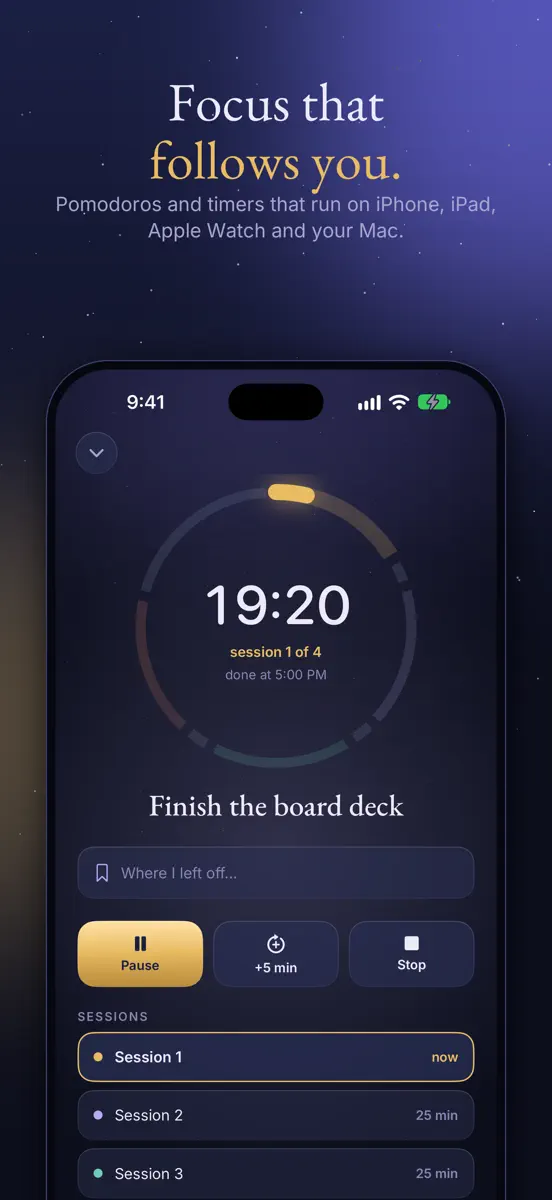
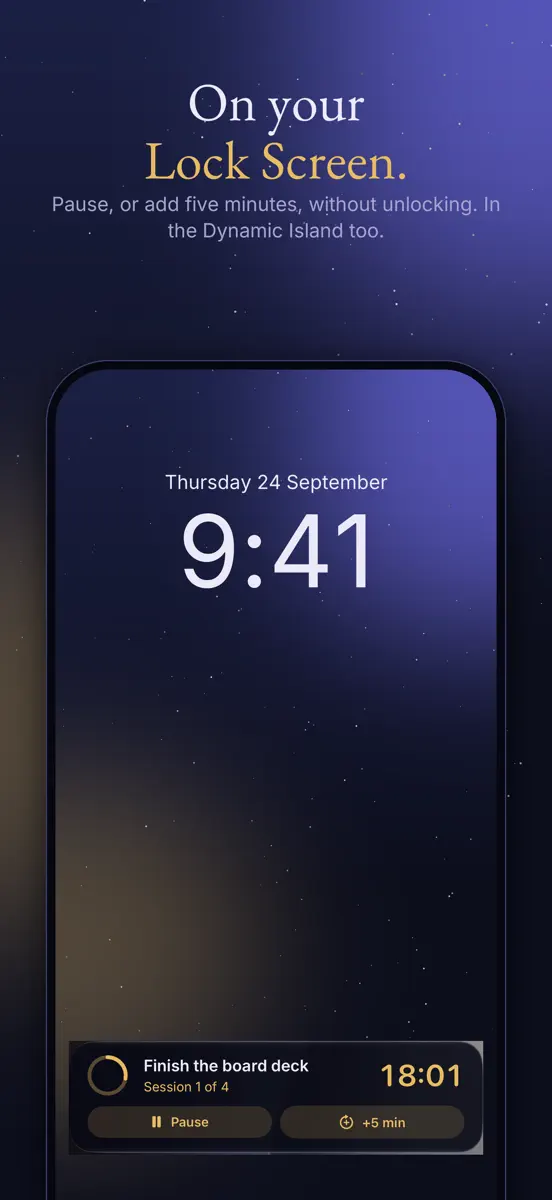
How the app presents itself on the App Store. Select a screenshot to open it full size.
App facts
What Apple publishes about this app. Ratings are from one country's App Store.
- Price
- MX$69.00
- Released
- 27 Sep 2026
- Last update
- Version 1.4.0
- Requires
- iOS 17.0or later
- Size
- 13.4 MB
- Languages
- 1
Chart record
Every tracked chart, country and day since Appulse Index first saw this app in a chart.
Rank history
Higher on the chart is better: #1 is at the top.
No chart history to show
History appears for charts the app is currently in.
Current rankings
Every chart this app is in right now, best position first.
Not charting right now
This app isn't in any tracked top 100 at the moment. Its history shows when it was.
Ranking events
Entries, big moves, #1s and new versions we've recorded, by day.
- Entered the Paid · Productivity chart at #6Mexico
- Dropped #42 → #74 in Paid · ProductivityCanada
- Entered the Paid · Productivity chart at #42Canada
- Dropped #63 → #88 in Paid · ProductivityUnited Kingdom
- New version 1.4.0 (was 1.3.0)
- Entered the Paid · Productivity chart at #63United Kingdom
- Entered the Paid · Productivity chart at #66United Kingdom
- New version 1.3.0 (was 1.1.0)
- Entered the Paid · Productivity chart at #93Germany
Competitors
Compare with the top 3Full chartTop of Paid · Productivity in Mexico. Margin: Plan in Plain Words isn't in it right now. Changes are over 7 days.
- #1 (number one)Up 9 placesWhisper Notes - Notas de VozSmashMelon LLC
- #2Down 1 placeTypeDrawTrautmann & Dorre GbR Shaped Agency
- #3No changePocket Mac LabDeclann Tan
- #4Up 51 placesPlanimeter — Mida el áreaCore Signals
- #5Not enough history yetDunamis TeamsEduardo Ruiz
- #6Up 78 placesPythonista 3omz:software
- #7New entryAikoSindre Sorhus
- #8Up 5 placesGoodReader PDF Editor & ViewerGood.iWare, Inc.
- #9New entryKeep On: Hábitos diáriosHyperstatic LLC
- #10Up 22 places2Do: To Do List & Task ManagerBeehive Innovations Services
- #11Up 11 placesMerge Voice MemosPLATINUM CITY LLC
- #12Down 8 placesThings 3Cultured Code GmbH & Co. KG
- #13Down 8 placesKIT ScenaristDmitry Novikov
- #14No changeDue - Reminders & TimersDue Apps LLP
- #15Up 2 placesTampermonkeyJan Biniok
- #16New entryAirDisk Pro: Transferir fotosFelix Yew
- #17New entryPurify: Block Ads and TrackingChris Aljoudi
- #18New entryFSWizard PROEldar Gerfanov
- #19New entryWatch 4 my Phone - Lost AlertIztok Trost
- #20Not enough history yetOne TaskSindre Sorhus
About
From the app's App Store listing.
Margin is a calm, beautiful planner for people who think in sentences, not forms.
Type or say “dentist tomorrow 4 to 5” or “lunch with Sara Friday at 1” and Margin reads the day, the time, the list and even the repeat, then saves it to Apple Calendar or Reminders. It reads Arabic too, so you can write your day in either language.
YOUR DAY, HOUR BY HOUR Every hour gets the same space, so you see where the time goes at a glance. Each hour tells you what is inside, meetings are drawn at their…
What's new
Version 1.4.0 · 14 Nov 2026 ·
Ask Margin, on your iPhone and iPad. Ask about your day in the capture sheet, typed or said: “what’s my Friday like”, “when am I free tomorrow afternoon”, “move the dentist to Monday”. Apple Intelligence answers on your device, so nothing leaves it. What it adds comes with Undo; moves and deletes wait for your OK on one card.
Say it instead of typing it. Tap the microphone and your words appear as you speak, then land like typed ones: a task goes on your day, a question goes to Ask Margin.
Blocked time. Keep your breaks, the school run or any hours free, and turn on prayer times for where you are. They show sunk into the hours of your day, and Margin never offers them as free time.
Tap an empty hour to add something right there.
Tasks said on your Apple Watch while your iPhone is away now land at the time you meant, and are never lost.
On iPad, a task’s actions always fit the screen, in any size, orientation or Split View.
More from Abdulmohsen Al Tulaihi
Their other apps that Appulse has seen in the charts, charting ones first.
| App | Best rank now | Released | App Store |
|---|---|---|---|
PinvoyNavigation · | Paid · NavigationSpain#14 |
Ranks come from Apple's public App Store charts, checked once a day. Appulse Index isn't affiliated with Apple.